The goal was not to place an AI-generated clip behind a headline. We wanted a visitor to control a coherent physical sequence with scroll:
assembled camera
→ full-camera disassembly
→ exploded hold
→ exact reassembly
→ front-facing rotation
→ lens approach
→ passage through the lens
→ arrival inside a studio
That distinction shaped the entire production process. A visually attractive video could still be unusable if its start and end did not connect to another shot, if detached parts left the frame, or if the transformation was too subtle to read during scroll.
The finished work is available in the Cinematic Photography Website Lab report. This article focuses on what happened between references and implementation.
The goal
The project compared two versions of the same fictional photography business. Standard used still images and normal document flow. Interactive added a reversible cinematic opening before continuing through the same studio, portfolio, availability, and contact content.
We did not test whether visitors preferred one version or whether either converted better. We measured local build delivery and browser behavior. The generated media was judged visually against the storyboard.
Starting from reference images
Eleven private PNG references were inspected before generation. Four received distinct roles:
CAM1.pngwas the master camera identity.CAM2.pngwas used only for the frontal view.CAM3.pngwas used only to communicate the logic of disassembly.ESTUDIO4.pngwas the master studio destination.
The remaining studio, forest, and cabin images informed continuity and later portfolio scenes. None of the private references was copied into the public site.
This role assignment mattered because a reference is not neutral. A mechanical example can influence body shape, internal parts, lighting, or composition. The accepted full disassembly still shows some geometry influenced by the mechanical reference rather than perfectly preserving CAM1 in every frame.
Why the storyboard came first
We wrote the state sequence before asking for video. That created acceptance gates for each shot:
- What must be visible at the first frame?
- What is allowed to move?
- What must remain rigid?
- Where must every important component end?
- Which frame must connect to the next shot?
Without those answers, “make the camera cinematic” would be easy to satisfy aesthetically and impossible to evaluate consistently.
The working pipeline became:
REFERENCE
→ STORYBOARD
→ AI VIDEO GENERATION
→ VISUAL INSPECTION
→ REJECTION OR APPROVAL
→ TRANSCODING
→ SCROLL SCRUBBING
→ BROWSER VALIDATION
Approval was never based on the existence of an output file.
Establishing the master plate
We generated still plates before motion. The first master-camera attempt changed the long-lens identity and was rejected. The accepted master plate established the dark product-studio composition used by the video sequence.
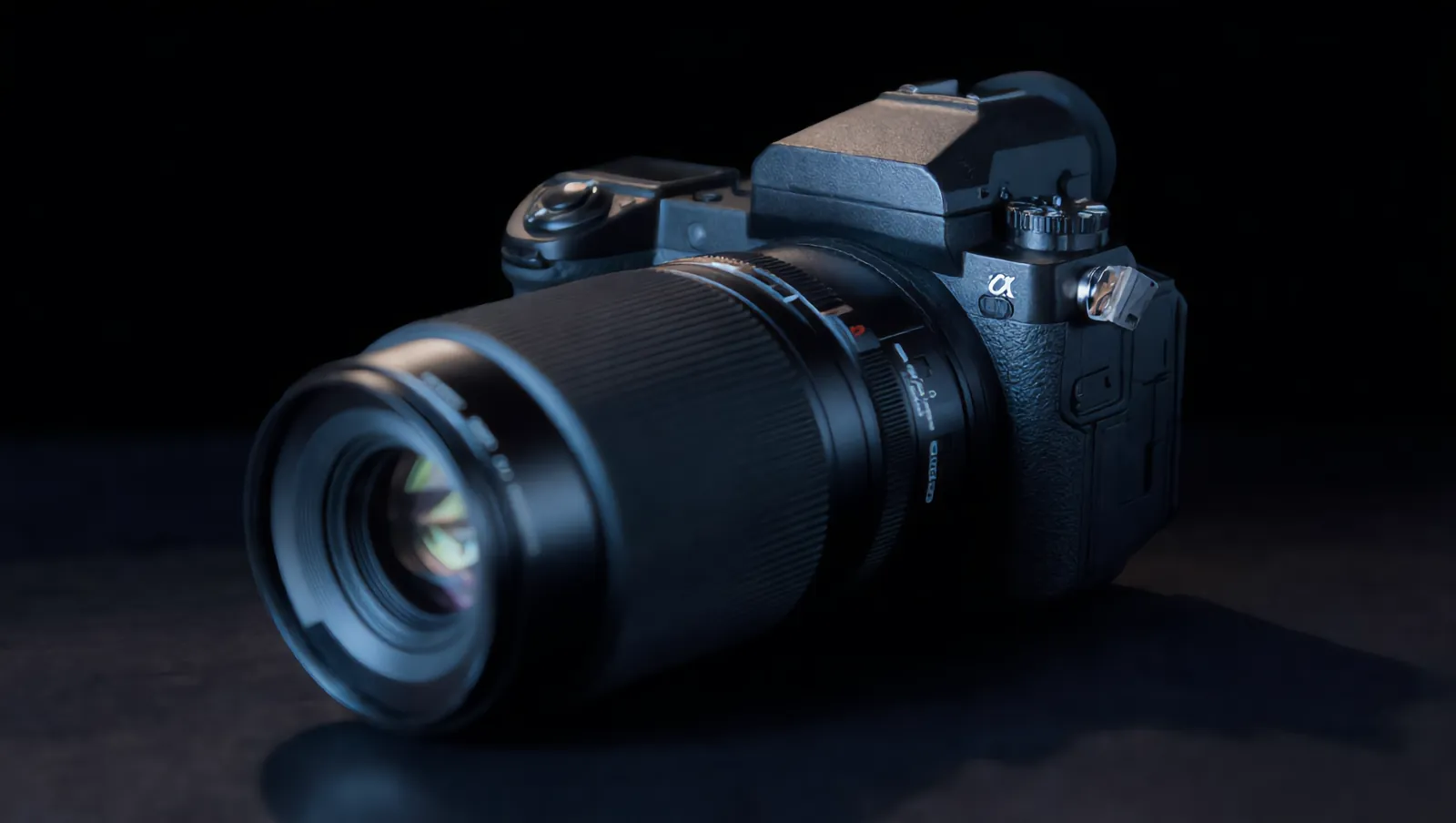
An early exploded still was also rejected because it introduced an implausible floating viewfinder prism. A corrected plate, a frontal plate, the master studio, and two portfolio scenes were approved after inspection.
The documented image round contained eight charged generations: six accepted plates and two rejected images.
Maintaining product identity
Product identity is more than approximate category resemblance. For this sequence it included:
- the long lens and camera silhouette;
- body proportions and controls;
- dark materials and product-lighting direction;
- the optical axis along which components should separate;
- the composition needed for the next shot.
Prompts explicitly asked the camera to remain identical, parts to stay rigid, and movement to occur along controlled axes. Negative constraints prohibited melting, morphing, replacement cameras, scene changes, and extra components.
Those constraints improved the result, but did not create a physically simulated asset. This remains generated video, not a camera model assembled from verified components.
Generating one shot at a time
The accepted experience uses three source roles:
| Source role | Duration | Purpose |
|---|---|---|
| Full-camera disassembly | 10.04 s | Assembled camera to exploded hold; reused backward for reassembly |
| Lens-facing rotation | 5.04 s | Rigid camera turns until the lens faces the viewer |
| Lens-to-studio passage | 6.04 s | Approach, optical passage, and studio reveal |
The final accepted sources total 21.12 seconds and 22,434,253 bytes. The disassembly is 1920 × 1080; the other two sources are 1916 × 1080. All are 24 fps. Originals remain outside public/.
Dividing the choreography limited each generation’s job. It also created continuity boundaries that had to be inspected: the disassembly needed to return to a camera that could plausibly enter the rotation shot, and the front-facing shot needed to lead into the portal.
Why the first disassembly failed
The original 5.04-second disassembly source technically loaded, sought, and reversed. Its visible action concentrated on front optical elements rather than separating enough of the camera body. The interaction code could only expose the frames present in that file.
This became the central lesson of the project:
A scroll-controlled experience cannot reveal motion that does not exist in the source media.
The first implementation passed several technical checks while still appearing almost static to a viewer. Rewriting the scroll logic could not turn lens-only movement into a full-camera exploded view.
We preserved that original source and started a replacement round.
What happened in the replacement round
Three ten-second replacement attempts were charged at 80 Kling credits each.
| Attempt | Decision | What happened |
|---|---|---|
| 1 | Rejected | A command-line prompt transmission problem reduced the prompt to a fragment. The output cut between literal reference scenes, changing background and identity instead of producing one mechanical action. |
| 2 | Rejected | Only the first paragraph reached generation. The lens shifted and morphed, reference-like parts appeared over an intact body, and the camera reassembled before the ending. |
| 3 | Accepted | The complete prompt arrived as one line. The lens separated first, body shells and internal layers followed, and the maximum exploded state held from approximately four seconds through the end. |
Internal task identifiers remain in the production log but add no value to the public explanation. All three output files were preserved for audit rather than overwritten.
The accepted source is 10.04 seconds, 1920 × 1080, 24 fps, H.264 Main/AVC1, and 10,452,423 bytes.
Why visual inspection matters
We inspected generated clips directly and sampled frames into contact sheets. Later, we captured the complete web route at normalized scroll checkpoints.
The checks answered different questions:
- Direct playback: does the requested movement exist in the MP4?
- Contact sheet: do geometry, identity, and composition remain coherent across time?
- Browser checkpoints: does the page reveal the same movement at useful scroll positions?
- Continuous scroll: can a viewer perceive the transition without reading labels?
An automated assertion can prove that currentTime changed from 0 to 7.5 seconds. It cannot prove that the camera visibly separated, that an overlay did not obscure the parts, or that two successive frames look meaningfully different.
Rejecting bad generations
Rejection criteria need to be written before reviewing outputs. We rejected or superseded media for concrete reasons:
- the master plate changed the long-lens identity;
- an exploded plate added implausible geometry;
- the first disassembly did not open enough of the body;
- one replacement cut between references and environments;
- another morphed and reassembled prematurely.
Keeping rejected sources prevented the final report from presenting iteration as a clean first attempt. It also made the real cost visible.
The cost of rejected attempts
The original production round used:
- 8 image credits;
- 128 video credits;
- 136 Kling credits total.
The full-disassembly replacement used:
- 3 attempts at 80 credits;
- 240 additional credits;
- 2 rejected outputs and 1 accepted output.
The logs therefore confirm 376 Kling credits for the complete experiment. This includes the original video round and the later replacement work. An invalid resolution argument was rejected before billing and is not added to the total.
We do not convert those credits to currency because no reliable project record captures a currency price for the account and date used.
Preparing video for the web
The Kling sources were preserved untouched. Separate derivatives were created for publication:
- Desktop: 1600 × 902.
- Mobile: 960 × 542.
- H.264, silent, 24 fps.
- Fast-start container.
- Six-frame GOP for more frequent seek points.
The current MP4 payloads are:
| Act | Desktop | Mobile |
|---|---|---|
| Full disassembly | 3,512,209 B | 1,408,857 B |
| Front rotation | 1,208,222 B | 436,433 B |
| Lens to studio | 2,017,232 B | 726,339 B |
| Total | 6,737,663 B | 2,571,629 B |
These sizes are local build artifacts. They are not Lighthouse results, Core Web Vitals, production-network timings, or evidence of what a particular visitor will experience.
Connecting video to scroll
The page maps a normalized zero-to-one progress value to each clip’s currentTime. The accepted disassembly runs forward, holds at maximum separation, and then runs backward for exact temporal reassembly. The rotation and portal clips occupy later ranges.
The detailed implementation, including sticky CSS, progress normalization, range mapping, and testing code, is in How to Build a Scroll-Controlled Video Website.
What AI handled
Kling produced the visual plates and moving footage from the supplied references and prompts. It enabled shots that would otherwise require product photography, 3D work, compositing, or a different production process.
That contribution was substantial, but bounded. The tool did not determine whether the storyboard was legible, whether a camera identity change was acceptable, how the scroll should be segmented, or whether the final web experience looked static.
What still required human judgment
The following decisions remained outside generation:
- assign a role to each reference;
- define the choreography and shot boundaries;
- reject attractive but incorrect outputs;
- recognize prompt transmission failures;
- preserve sources and document costs;
- choose transcode profiles;
- balance crop against visible motion;
- reduce overlays and dead scroll;
- test forward, reverse, mobile, failure, and reduced motion;
- distinguish build measurements from real-world performance.
The work was less like asking for one final video and more like directing, editing, encoding, implementing, and validating a small visual system.
Limitations
- Camera identity is not absolutely consistent through every generated frame.
- Internal geometry is visibly influenced by the mechanical reference.
- Small shapes and body details change between shots.
- The sequence is not a physically accurate camera teardown or a reusable 3D model.
- Local Chrome automation does not replace physical iPhone/Safari or assistive-technology testing.
- AI generation cost varies with rejected attempts; this single project is not a pricing benchmark.
- No visitor preference, engagement, lead, conversion, revenue, Lighthouse, or field Core Web Vitals study was performed.
Final lessons
Start with states, not adjectives. Give each reference one job. Generate one transition at a time. Preserve every paid output. Approve motion by watching it, not by reading task status. Encode the approved footage for seeking. Then validate both telemetry and visible change in the browser.
You can read the complete measured experiment or open the full-motion demo. The Standard version remains available beside it so the media cost and interaction model can be compared without claiming a user preference that was never measured.
Frequently Asked Questions
Did AI generate the complete website interaction?
No. Kling generated image and video material. Storyboarding, reference assignment, rejection decisions, transcoding, scroll mapping, accessibility, browser testing, and editorial reporting required separate implementation and judgment.
Did rejected AI video attempts still cost credits?
Yes. The documented experiment used 376 Kling credits in total, including 240 credits for a three-attempt replacement round in which two outputs were rejected and one was accepted.
Sources and further reading
Primary and official sources used to verify factual guidance. Product features and policies can change; check the linked source before a consequential decision.
- HTMLMediaElement: currentTime property — MDN Web Docs
- Audio and video delivery — MDN Web Docs
- prefers-reduced-motion CSS media feature — MDN Web Docs